@AbdulqadirAliyev-3681, Welcome to Microsoft Q&A, you could try the following steps to use csc.exe to convert .cs file to an exe file.
First, please create the following .cs file in the path C:\Test\Project.Copyusing System; public class HelloWorld { public static void Main() { Console.WriteLine("Hello world!"); Console.ReadKey(); } }
Second, please open your command prompt in your computer.
Third, please use the following cmd to convert your .cs file to exe file.Copycsc.exe -out:C:\Test\Project\Program.exe C:\Test\Project\Program.cs
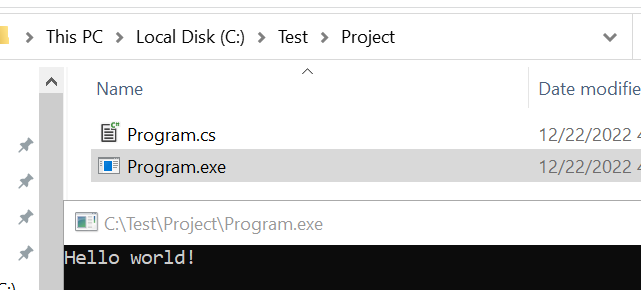
Finally, you could see the output in the console window and the exe is shown in the folder.
Hope this could help you.
Best Regards,
Jack
Multiplayer requires multi threaded or parallel code
 MetalManX
Leave a comment